Go back a page This section homepage Go to Computer software page Go to Computer hardware page Help for using our site

  (Mediagold) H+H Virtual CD v6 / CD Copier Pro  

Terms & Conditions Phone 0870 766 3699 Go to the order form Print this page Go forward a page

Details and specifications on: Mediagold Virtual CD 6 (produced by H+H Zentrum für Rechnerkommunikation GmbH), formerly IMSI/Norton CD Copier Pro, £10.95 - £424.95, upgrades, stand alone, site license & network versions available. [Buy now] or call us on 0870 766 3699

Features
Screenshot
Reviews
Versions
System
Prices
Ordering
Support
Contact us
Home

FEATURES

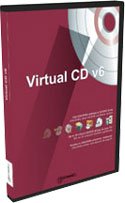
Mediagold Virtual CD v6 box Mediagold Virtual CD v6 (CD Copier Pro)

Electronic download available from 17th May 2004; boxed version available June 04; Network Management Server (NMS) version available 6th July 2004.

See the features new to Version 6 or look at a Comparison of features across Virtual CD 4, 5 and Virtual CD version 6.

Now Windows users can run CD & DVD applications and music CDs directly off hard disks, even without a CD drive. The revolutionary Microtest Virtual CD lets you create "virtual" images of CDs on hard disks and access them to run applications.

Virtual CD is ideal if you're looking for improved performance or to run CD applications from notebooks and other mobile computers not equipped with CD drives. Instead of changing the CD in the drive just create a compressed image of it at up to 20% the original size and then use this software to convince your machine that its still in the drive!

In addition, they will now run up to 50x faster from your hard drive than they ever did from the CD drive. Alternatively, create CD-ROM images for your laptop and then you don’t need to carry your CD-ROM drive with you when you travel, you can carry a second battery instead!

You’ll be able to copy CD-ROMs to your NT server or have educational and reference CD-ROMs available to everyone on a network. Multiple clipart CD-ROMs can be saved onto one hard drive. You’ll be able to play games, listen to audio CDs and import images all at the same time as reinstalling that missing component from the Windows CD. Supports audio CDs, photo, video, mixed mode and CD-R disks. Now works from DVD drives as well.

Speed up your CD drive!!
Virtual CD copies your favorite CDs using advanced compression techniques onto your hard disk. Now you have access to your CDs at lightning speed without any CD drive noise!

No more hassle with swapping CDs!
Are you bothered by programs which require an inserted CD? Virtual CD accesses the CDs through the hard disk - the media itself is no longer required. No more piles of CDs lying around getting scratched or lost.

Watch video DVDs without the noisy DVD drive!
Virtual CD copies video CD and DVD-video including DVD specific features (DVD menu with chapter selection, audio sub titles, etc.). Watch your favourite movie in full picture quality without any noisy DVD drive access!

Faster Games!
Virtual CDs run much faster than CD drives! No more tiresome swapping CDs in the middle of the game. Bored of the game's soundtrack? Then run your favourite audio CD whilst playing the game, and… no more tiresome swapping CDs in the middle of the game

Easy access to your music CD collection
Save up to 95% disk space with MP3 and WMA audio compression. Additionally, Virtual CD retrieves artist, album and track title information of audio CDs over the internet with the included CDDB feature. The new CD text format is also supported to read the album's information directly from the CD. Create your own virtual audio CDs containing a custom selection of your favourite audio tracks with the Virtual CD Editor.

More mobility for your laptop
Travel light and leave your external drive and CDs at home - just load the virtual CD image file from your PC or your network environment! CD drives are power hungry, reducing battery lifetime on mobile computers. Virtual CD does not need to access the physical CD drive and so saves on battery power. In addition many laptops allow you to replace the internal CD drive with an extra battery. You will gain extra lifetime and still have access to your CDs. Virtual CD is a must have for any sub-notebook without built-in CD drive. No more risk of electrical interference in airplanes caused by the CD drive!

Access multiple CD-ROM applications simultaneously
Virtual CD can emulate up to 22 CD drives and an unlimited number of virtual CDs. There's no swapping media while accessing several applications at a time!

Easy CD handling for your children!
Virtual CD optionally creates icons for each virtual CD image on your Windows desktop. Just double-click the icon to instantly insert and run the corresponding CD application. No dangerous splintered CDs with sharp edges or broken CD drive trays anymore!

Build your customized virtual CDs!
Test your CD-R projects with virtual CDs before wasting CD-R media. The Multi-Session Virtual CD Editor allows you to compose your own virtual CD with free selection of audio tracks and data files & folders.

VCD access over the network
Virtual CD allows to access your virtual CDs from any Windows 98/ME/NT/2000/XP clients across the LAN. Just store the virtual CD images on any file server (Windows, Novell or Linux, etc.). The access rights can be definied via the standard file access policies of the Windows file system. Virtual CD also works perfect in any Peer-To-Peer-network. The Virtual CD client automatically recognize any available virtual CD on the network and include it into the management. A Laptop can access virtual CD images across the LAN.

Fully customizable Virtual CD client!
The functionality of the Virtual CD client application is fully customizable. You may limit the functionality e.g. to prevent client users to create, erase or modify virtual CDs. Virtual CD even allows to create a pre-defined setup for the Virtual CD client installation. The administrator determines the desired functionality and Virtual CD creates a customized setup file which may then be distributed over the network to install the client application.

Central administration of the virtual CDs!
The folder structure and location of the virtual CD are stored centrally. So any client recognizes automatically if a new virtual CD is available in the network and include it into the management.

Add licenses as you expand the network
You can mix and match licences on the same network, start with 5 or 25. Private licences are authorised for use only at home for non-public purposes. Use of private licences in schools or industry or government or any other not for profit organisation is NOT authorised. Schools or businesses can buy the relevant 25 user license and then add further 25 user licenses or additional 5 user standard (NOT private) licences instead.

New Features in version 6
Easier
Flexible interface
The flexible customizable interface of Virtual CD v6 gives you just the information you need and gives you an optimal overview.

Copy templates
With the Virtual CD v6 integrated templates you can easily store the settings you have used. During the creation of a virtual CD of the same type you have access to the stored profile.

One Click Copy
With the One Click Copy you can create virtual CDs as quick as a wink. In combination with the copy templates you need even less clicks than ever with Virtual CD.

Safer
Encryption of virtual CDs
In addition to password protection you can now also encrypt virtual CDs. According to the AES-256bit-Standard encrypted images offer maximal security for your sensitive data.

Sharing physical CD drives per CD
Virtual CD enables the use of specified CDs even by locked drives. Thereby you can control who uses which physical CDs.

Sharing locked CD drives through a password
In Virtual CD v6 locked physical drives can be activated with a password, if necessary - quick and easy.

More convenient
Pooling several Smart Virtual CDs to one Smart Virtual DVD
With Virtual CD v6 you can use the significantly larger storage space of DVDs. You can either use a DVD as a Smart Virtual DVD or pool a number of Smart Virtual CDs to a Smart Virtual DVD.

Online-Update-Check
Keep your Virtual CD up to the newest stand. If you wish Virtual CD checks for the availability of newer updates and guarantees thereby an optimal functionality.

Toolbox for quick access to all important functions
The Virtual CD Toolbox offers you all modules of Virtual CD for quick access. Just a click an the the corresponding symbol startes the Virtual CD application.

Comparison between the different versions of Virtual CD
This comparison shows the differences between the different versions of Virtual CD:

Function Virtual CD v6 Virtual CD v5 Virtual CD v4
Windows 2000 compatibility Yes Yes Yes
Windows XP compatibility Yes Yes Yes
Certified driver ("Designed for Windows XP") Yes No No
Flexible customizable interface Yes No No
Toolbox for fast access Yes No No
Online update-check Yes No No
Copy templates for a safe individual copy profile Yes No No
Copy assistant for virtual CDs Yes No No
Quick Copy function Yes Yes No
Direct binding of ISO conform image files as virtual CDs Enhanced Yes No
Smart Virtual CD/DVD Yes CD only No
Smart Virtual CD/DVD-Reader Yes CD only No
Smart Virtual CD/DVD-Burner Yes CD only No
Encryption of virtual CDs Yes No No
Password protection of virtual CDs Yes Yes Yes
Support of DVD-ROM & -Video Yes Yes Yes
Protection against illicit usage of physical CD drives enhanced Yes No
Compatibility with CD-R software enhanced Yes Yes
Sorting of virtual CDs in subdirectories Yes Yes Yes
Cataloging virtual and physical CDs Yes No No
Printing data sheets Yes No No
Simplified copy mode with CD Analyzer Yes Yes Yes
Identification of titles, albums, interpreters of audio CDs (CDDB) Yes Yes Yes
MixedMode Virtual CD editor Yes Yes Yes
Hotkey function to insert virtual CDs Yes Yes Yes
Autostart function handling Yes Yes Yes
Desktop symbol generator Yes Yes Yes
Direct creation of virtual CDs from any Explorer directory Yes Yes No
Free choice of names of audio tracks that are stored as files Yes Yes No
Hotkey function for direct application start Yes Yes No
Script generator to insert several virtual CDs enhanced Yes No
Reading out the CD geometry for improved CD emulation Yes Yes No
Session selector to define the start session of a virtual CD Yes Yes No

SCREENSHOTS

 return to menus and top of page
Use you back button to return to this page after viewing the screenshots. If the back button is greyed out then you can close the page down and this page will still be here.

Screenshot 1 | Screenshot 2 | Screenshot 3

REVIEWS

 return to menus and top of page
Virtual CD 5 has won several comparison tests!

Many PC magazines did comparison tests during the recent past publishing their results in respective lab tests. We are proud to tell you that in all such tests Virtual CD has become "editors choice"! (ComputerBild, c't, PC Praxis, PC Magazine, PC Professionell, etc.)

See the complete list of reviews or awards.

VERSIONS

 return to menus and top of page
Mediagold/H+H Virtual CD v6
Mediagold/H+H Virtual CD v6 Network edition
Virtual CD TS - Extended edition for Terminal Server/Metaframe
Virtual CD NMS - Extended edition for Network Management Server

SYSTEM REQUIREMENTS

 return to menus and top of page

Designed for Windows XP:
As the first software of its kind Virtual CD v6 has received the certification of Microsoft as "Designed for Windows XP" for its driver. For you this means maximum stability and optimal support from Windows XP

Network Management Server (NMS) Version Requirements:

Service
Management

PRICING

 return to menus and top of page
VCD Upgrade from version 5 to 6  £19.95[Buy now]
VCD Upgrade from version 4 to 6  £22.95[Buy now]
VCD 6 Boxed version  £29.95[Buy now]
VCD 5 user licence (private)   £69.95[Buy now]
VCD 1 user Upgrade to 5 user licence (private)  £39.95[Buy now]
VCD 5 user licence  £109.95[Buy now]
VCD 25 user licence  £449.95[Buy now]
VCD 100 user licence  £1499.95[Buy now]
VCD Network Management Server (NMS) licence  £349.95[Buy now]
VCD Network Management Server (NMS) licence (schools/education)  £199.95[Buy now]
VCD 25 user licence (schools/education)  £299.95[Buy now]
VCD 25 user licence inc NMS license (schools/education)  £399.95[Buy now]
VCD 25 user licence Upgrade from version 5 to 6 (schools/education)   £149.95[Buy now]

Site license purchasers should add £3 / $5 for a copy of the media and manuals or contact us with your confirmed order and we can give you access to download the software (20-30Mb) and then receive your license key by email, same day.

For Terminal Server concurrent user pricing please contact us.

Prices are in £GBP and include all applicable taxes (VAT etc)

P&P will be charged at "light items" rates (1/2/3) - click here for full Postage & Delivery Details including shipping rates within the UK, Europe and worldwide, same day and next day before midday options.

Email to check latest pricing or stock availability

Check Exchange Rates to convert UK pricing or Email us with your country and/or currency for a quote.

ORDERING

 return to menus and top of page
Any questions prior to ordering? - then email: Sales or call us on 0870 766 3699, otherwise proceed to the Order Form.

If the online Order Form fails for any reason or your product is not yet listed there, or you wish to print and send your order, then fill in the following, hit the [Select details] button below, and copy and paste to your email program or word processor:

Now hit Ctrl+C to copy the selected text to your clipboard and then paste (Ctrl+V) it into your preferred Email program or click here to launch your Email editor.

 Make sure you read our Terms and Conditions.

CONTACT DETAILS

 return to menus and top of page
Click here for full Contact Details including postal address, additional phone lines and technical support email.

Whilst we are based in Norwich, Norfolk in the UK we can ship most items internationally.

Telephone : (UK) 0870 766 3699 (World) 00 44 870 766 3699
Email : sales@bmsoftware.com

Return to menus and top of page RETURN TO
TOP OF PAGE
Close page

CLOSE
WINDOW

Print this page

PRINT
PAGE

BMSoftware home

HOME
PAGE

TERMS AND
CONDITIONS

HELP ON USING
THIS SITE